
GENERATIVE & AGENTIC AI
Practical AI assistants and controlled AI agents that help businesses research, analyse, create and complete multi-step work with appropriate human oversight. The work is scoped around permissions you agree, not unsupervised autonomy.
Generative AI vs Agentic AI
These two ideas are often mixed together. For a buyer, the distinction is practical: what the system produces, and whether it is allowed to take the next step on its own.
Generative AI
Creates, summarises, analyses or transforms content and information. Typical output is a draft, a summary, a classification or an answer drawn from approved sources. A person still decides what is sent, filed or published.
Agentic AI
Can plan and carry out multi-step tasks using connected tools, APIs and business systems within defined permissions. It may look up a record, draft a response and then pause for approval before anything is sent.
Build AI assistants and controlled agent workflows that help teams work faster, access knowledge and handle multi-step tasks safely. The control sits in the permissions, the approval gates and the log of what ran.
What We Can Build
Scope is agreed with you. These are the kinds of assistants and controlled workflows we typically design, using your data and tools rather than a generic chatbot with open access.
AI Assistants
Guided assistants that help staff draft, look up or structure work, then hand the result back for a person to use.
Internal Knowledge Assistants
Search and retrieve from approved internal documents and records, so people spend less time hunting for the last version of a policy or process.
Research Assistants
Gather and organise information from sources you specify, then present a draft the team can check before it is used.
Customer Support Assistants
Help support teams draft replies, summarise tickets and find the right internal note, without sending a message until someone accepts it.
Sales & Business Development Assistance
Prepare first-pass research, summaries and follow-up drafts so sales time is spent on conversations, not formatting.
Document & Content Generation
Turn notes, records or templates into a first draft. Publishing or sending still sits with the business.
Multi-Step AI Agents
Controlled sequences that can plan steps, call approved tools and stop for a person when the next action has real consequences.
Tool & API Integrations
Connect assistants to CRM, email, websites and other systems you already run, within the access you grant. Custom software for those connections is covered on our custom software page.
Retrieval-Augmented Knowledge Systems
Answers grounded in your approved documents and data, rather than an open-ended model with no source of truth.
Human-in-the-Loop Agent Workflows
Agents that must request approval before they send, change a record, or take another high-impact step.
Business Use Cases
These are examples of work we can help you design. None of them require the system to act without a person where the outcome matters.
- Research and information gathering from sources you approve
- Internal knowledge search across policies, process notes and records
- Summarising documents so a person can review the original if needed
- Preparing draft responses for support or sales to edit
- Analysing incoming requests and suggesting a route or next step
- Assisting support teams with context from previous tickets
- Assisting sales teams with first-pass company or opportunity notes
- Coordinating multi-step operational tasks with an approval gate
- Preparing reports and recommendations for a manager to sign off
We do not promise full unsupervised autonomy. If the main need is connecting systems and removing copy-paste admin, start with AI automation.
How Agent Workflows Operate
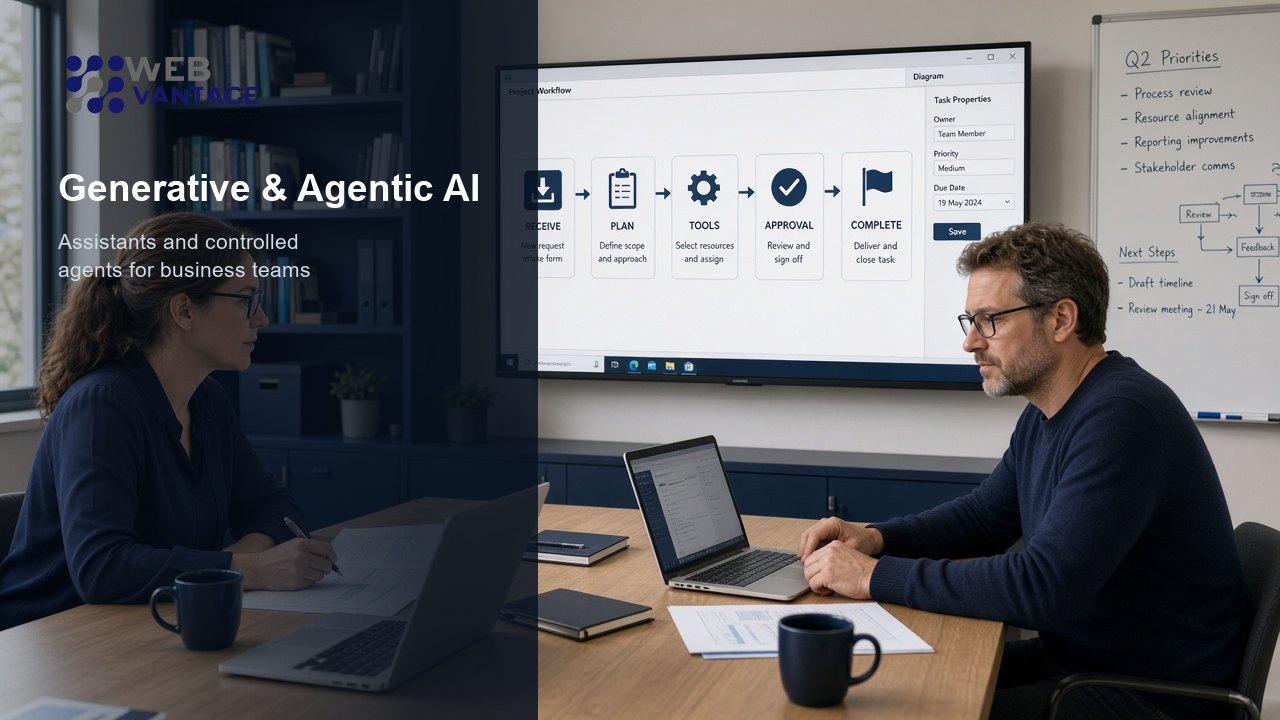
A controlled agent does not jump from a prompt to an irreversible action. A typical flow looks like this.
- 01
Receive Task
A person or an agreed trigger starts the work, with a clear outcome.
- 02
Understand Context
The agent reads only the sources and fields it is allowed to use.
- 03
Plan Steps
It proposes a sequence before it calls tools, so the path is visible.
- 04
Use Approved Tools/Data
It can only use the APIs, inboxes and records you have granted.
- 05
Request Human Approval Where Required
High-impact steps wait. Sending, deleting or changing a live record can require a person.
- 06
Complete Task
The remaining steps run inside the same limits.
- 07
Log Result
What ran, which tools were used and what was approved is recorded so you can review it later.
Human Oversight & Guardrails
Useful AI in a business is limited on purpose. Permissions, approval gates, restricted actions, audit trails, access controls, testing, monitoring and fallback behaviour are part of the design, not extras added at the end.
Decide what the system may never do
Some actions should stay with a person: payments, live customer messages, irreversible deletes, or anything that changes a regulated record. Those limits are written into the workflow.
Know what happened
If a draft was wrong, you need to see which source it used. Logging and a safe fallback (stop and ask, rather than guess) keep the process reviewable.
Security & Access
Assistants and agents should run with least privilege: only the systems and fields they need, for as long as they need them. Sensitive data handling, human approval for high-impact actions, and auditability belong in the same conversation as the use case.
Where access, logging or network controls need a wider review, that sits with our cybersecurity work. The AI page does not replace that assessment.
Integration with Existing Systems
Assistants are more useful when they can see the same information your teams already use: internal knowledge, CRM, websites, business databases, APIs, document systems, email and workflows.
We connect what you already run. We do not assume a particular vendor. If a custom layer is needed between those tools, that is custom software.
Who This Is For
This is a better fit when there is repetitive knowledge work, and someone in the business can still own the final decision.
- Companies with repetitive knowledge work that currently sits in inboxes and shared drives
- Support teams that need faster drafts without unreviewed replies going out
- Sales teams that want first-pass research and follow-up text they can edit
- Operations teams coordinating multi-step tasks with a clear approval point
- Businesses with scattered internal information that is hard to search
- Organisations exploring practical AI adoption, rather than an open-ended experiment
Related Services
Assistants often need the same integrations as automation. Software and security sit next to that work when access has to be designed properly.
Explore What AI Could Do for Your Business
Tell us the knowledge work that is slowing the team down, which systems it touches and which actions must stay with a person. We will help you identify a practical next step.