
AI AUTOMATION
Practical AI-powered automation that reduces repetitive work, connects business systems and helps teams operate more efficiently with human oversight. The aim is fewer duplicated tasks, not handing over decisions the business still needs to own.
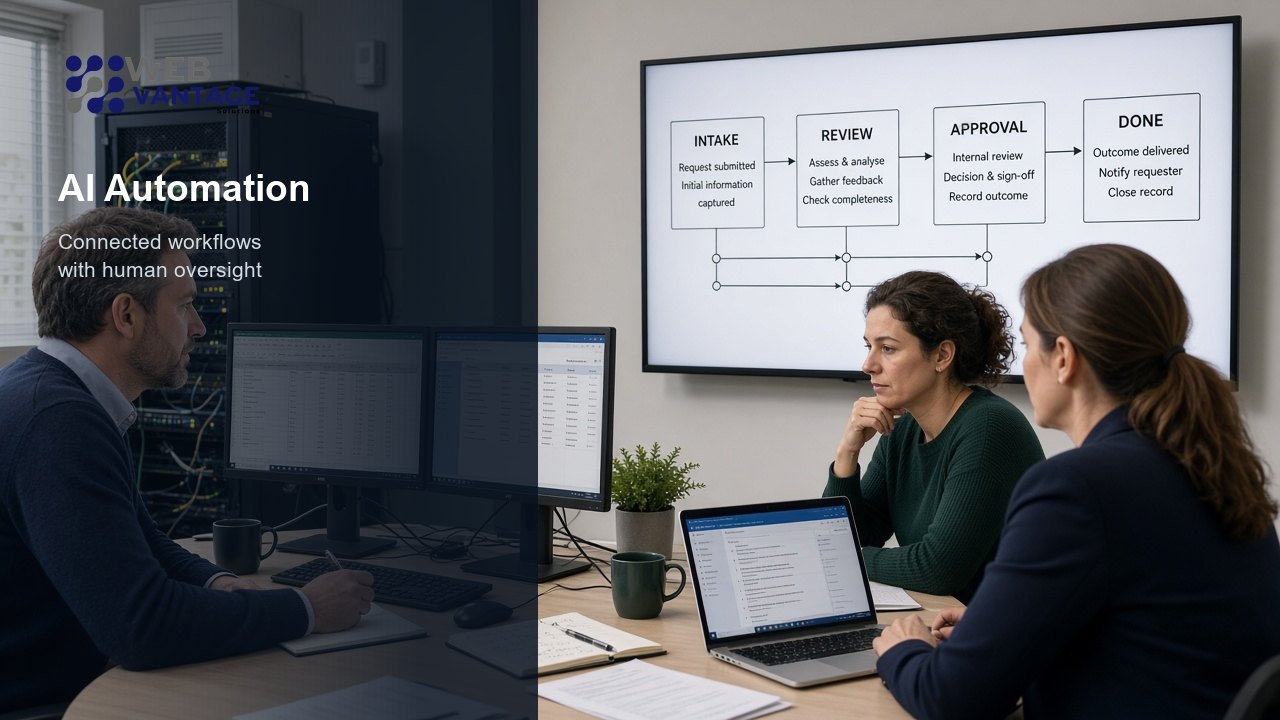
What AI Automation Means for Your Business
Help businesses automate repetitive tasks, connect systems and create smarter workflows without losing control of important decisions. Automation is useful when the same work is done by hand every week. It is less useful when the work still needs judgement on every case.
In practice that usually means reducing repetitive manual work, connecting systems so information does not have to be copied twice, moving records between tools, improving reporting, cutting duplicated admin, and supporting teams rather than replacing them.
- Less repetitive admin
- Connected systems
- Clearer reporting
- Human oversight kept
- Defined permissions
- Room to override
Where Automation Can Help
Scope is agreed with you. These are the kinds of automation we typically design and build, using the systems you already rely on where that is the better route.
Workflow Automation
Move work from one step to the next without someone having to chase every status update, while keeping a person in the loop where a decision still matters.
CRM & Sales Process Automation
Route enquiries, update records and prompt the next follow-up so sales admin is not copied between inboxes and spreadsheets.
Email & Reporting Automation
Assemble routine reports and notifications from the data you already hold, so managers are not rebuilding the same spreadsheet each week.
Data Synchronisation
Keep customer or operational records aligned across tools, so staff are not entering the same change in two places.
Approval-Based Workflows
Send work for review before a high-impact action runs, with a clear record of who approved it and when.
AI-Assisted Operations
Use AI to draft, classify or summarise routine items, then pass the result to a person or a defined next step. It assists the team; it does not take over the process.
Business Alerts & Notifications
Trigger a message when something that matters happens: a new enquiry, a failed sync, a threshold, or a task waiting too long.
System & API Integrations
Connect the tools you already use through APIs and agreed data flows. We do not assume a particular vendor unless it is already in your stack. This often sits alongside our custom software work.
Common Use Cases
These are typical starting points. The right automation depends on the workflow, the systems involved and how much human approval you want to keep.
- Route enquiries to the correct team instead of forwarding them by hand
- Generate internal reports from more than one system on a schedule
- Synchronise customer or operational data so records stay consistent
- Create approval workflows before a change is applied
- Automate repetitive back-office tasks that currently sit in email and spreadsheets
- Trigger alerts based on business events you already record
- Assist with document or data processing, then hand the result to a person to check
If the work is mainly creating drafts, searching internal knowledge or running multi-step assistant tasks, that sits with generative and agentic AI.
Our Approach
A clear process from the current workflow through to something you can monitor and refine.
- 01
Understand
Map the existing workflow and business problem, including where people already spend time copying, checking or chasing.
- 02
Design
Identify what should be automated and where human approval is required, so high-impact actions stay under control.
- 03
Build & Integrate
Connect systems, APIs and workflows securely, using the permissions the business actually wants to grant.
- 04
Test & Improve
Validate results, monitor performance and refine. Automation is checked against real cases, not only a happy-path demo.
Human Oversight & Control
Automation should operate within defined permissions. It is there to take repetitive work off people's desks, not to hide what happened.
Keep control of important actions
High-impact actions can require approval. Logging and auditability make it possible to see what ran, when, and with which data. Manual override should be available where it is appropriate.
Plan for when something fails
Safe fallbacks matter: if a connection is down, or a record does not match, the process should stop in a defined way rather than guessing. Teams still need a path to complete the work by hand.
Integration with Existing Systems
Most useful automation sits on top of tools you already have, rather than replacing them on day one. Typical connections include CRM, email, websites, internal databases, reporting tools, third-party APIs and other business software.
We do not list a catalogue of vendor logos here. The right integrations are the ones you already use, plus any custom software that needs to sit in the middle. That custom layer is covered on our custom software development page.
Who This Is For
This work is a better fit for UK SMEs and growing organisations that can describe the process they want to improve, even if the current version is messy.
- SMEs with repetitive admin that is costing the same time every week
- Teams using multiple disconnected systems that do not share data
- Businesses scaling operations without wanting to add a person for every extra step
- Companies wanting better reporting from information they already collect
- Organisations with manual approval processes that should stay, but should not rely on someone remembering to chase
Related Services
Automation often sits next to software delivery. When the work is more about assistants and controlled agents, that is a different page.
Generative & Agentic AIAssistants and controlled multi-step agents with human oversight.View AI assistants
All ServicesSoftware, cybersecurity, marketing and AI services in one place.View services
Ready to Automate Repetitive Work?
Tell us which process is eating time, which systems it touches and where a person still needs to approve the outcome. We will help you identify a practical next step.